Equipment Buy vs. Rent Calculator

Determine the financial impact of purchasing machinery. Find out exactly how many days of usage you need to make equipment ownership more profitable than renting.

Buying Costs
How long will you keep it?
Oil changes, repairs, insurance, storage.
Renting & Usage
Include delivery fees if applicable.
5 days/mo Max 30

Enter details to see results

Fill out the form on the left to analyze your costs.

Cost Breakdown (Monthly) Buying Renting
Asset Cost / Rental Fees - -
Maint. & Insurance - Included
Total Monthly Cost - -
Share This Calculation

Maximize Your Equipment ROI

Now that you have calculated your equipment costs, use WorkQuote to streamline your estimates, manage job schedules, and track every invoice for a more profitable business.

The Equipment Acquisition Trap: Why Precise Calculation Matters

Many service business owners view new equipment solely as an asset, but without high utilization, a machine quickly becomes a liability. Buying too early drains your cash flow with maintenance and storage costs, while renting too long can eat away your project margins. This tool defines your financial boundary, helping you move from gut-feeling decisions to data-driven growth.

Cash Flow Protection

Understand the true monthly commitment of ownership including insurance and hidden maintenance fees before you sign a financing agreement.

Utilization Benchmarks

Identify your break-even utilization rate. If your project schedule cannot support the minimum days required, renting remains your most profitable path.

Tax & Resale Impact

Factor in long-term depreciation and potential resale value to see the full lifecycle cost of your heavy machinery or specialized tools.

How to Decide: Should You Buy or Rent Your Next Piece of Equipment?

Determining whether to invest in a new asset or stick with rentals is one of the most important financial decisions for any service business. Our Equipment Buy vs. Rent Calculator simplifies this process by comparing the total cost of ownership against your actual job site usage. By calculating your monthly break-even point, you can protect your cash flow and ensure your equipment strategy supports your long-term growth.

Step 1: Calculate Your Total Ownership Costs

To get an accurate comparison, you must first define the financial commitment of purchasing the machine:

  • Purchase Price: Enter the full sticker price of the equipment including taxes and initial delivery.
  • Ownership Period: Input how many years you plan to keep the asset before replacing it.
  • Resale Value: Estimate the potential value of the machine at the end of its life to calculate true depreciation.
  • Yearly Maintenance: Include estimated costs for insurance, storage, routine service, and unexpected repairs.
Step 2: Define Your Rental and Usage Rates

Next, compare ownership against the flexibility of a rental provider:

  • Daily Rental Cost: Enter the average 24-hour rate you pay to a local rental yard, including any recurring delivery or damage waiver fees.
  • Estimated Monthly Usage: Use the slider to select how many days per month the equipment is actually generating revenue on a job site.

Step 3: Analyze the Break-Even Results

The calculator instantly generates a comparison to show which option leaves more money in your bank account:

  • Monthly Cost Comparison: See a side-by-side view of your ownership expenses versus rental fees based on your specific usage.
  • Data-Driven Recommendation: The tool will tell you exactly which path is more profitable so you can make confident purchasing decisions.

Key Financial Terms for Equipment Analysis

Understanding these metrics is vital for managing your service business fleet:

  • Depreciation: The reduction in the value of your equipment over time due to wear and tear.
  • Utilization Rate: The percentage of time a piece of equipment is actively working on a revenue-generating job site.
  • Opportunity Cost: The potential profit you lose by tying up cash in equipment instead of investing it in marketing or labor.
  • Total Cost of Ownership (TCO): The sum of all costs related to an asset, from the initial purchase to maintenance and eventual disposal.

Quickly Create Free Estimates & Invoices

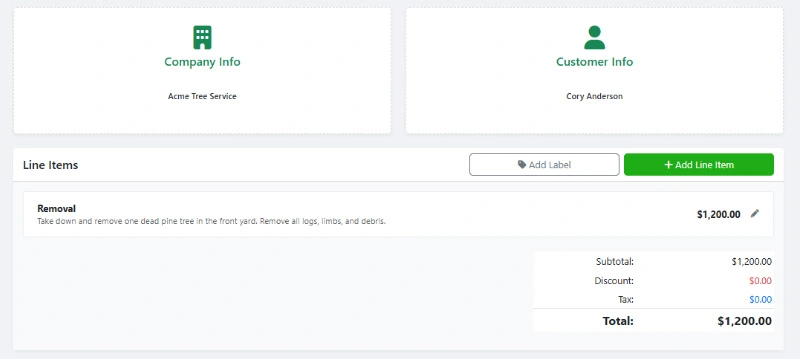
Use WorkQuote's free Estimate & Invoice Generator to create professional quotes and invoices for your service business. No sign-up or account needed.

  • Modern Design: Create professional estimates that look great on any device.
  • Custom Branding: Add your logo and customize colors to match your brand.
  • Live Preview: See real-time updates as you create your estimates and invoices.
  • Real-Time Feedback: Know when estimates are viewed and accepted by your clients.
WorkQuote's Free Estimate And Invoice Generator

Create modern estimates that win jobs!


Organize your Business into one App with WorkQuote

Get It Now

Risk-Free Trial. No Strings Attached.

credit_card_off

No Credit Card Required

Start instantly. We don't ask for a card or any payment information.
rocket_launch

Full Feature Access

Test every feature, from unlimited estimates to scheduling, with your real jobs.
free_cancellation

Nothing To Cancel

If you don't subscribe within 21 days, your trial simply expires. No fees, no obligation.

Equipment Buy vs. Rent Calculator FAQs

Find answers to common questions about our field service software.

The 60 percent rule suggests that if you utilize a piece of equipment more than 60 percent of the time (roughly 12 to 14 days a month), it is usually more cost-effective to buy the machine rather than rent it. This calculator helps you find your specific percentage based on your unique maintenance and resale costs.

Ownership involves several costs beyond the monthly loan payment. You must account for specialized insurance, secure storage, transportation to job sites, routine maintenance like oil changes, and the cost of capital that could be used elsewhere in your business.

Purchasing equipment allows you to utilize depreciation to lower your taxable income. In many cases, Section 179 allows businesses to deduct the full purchase price of qualifying equipment in the year it was bought, which can provide a significant tax advantage compared to renting.

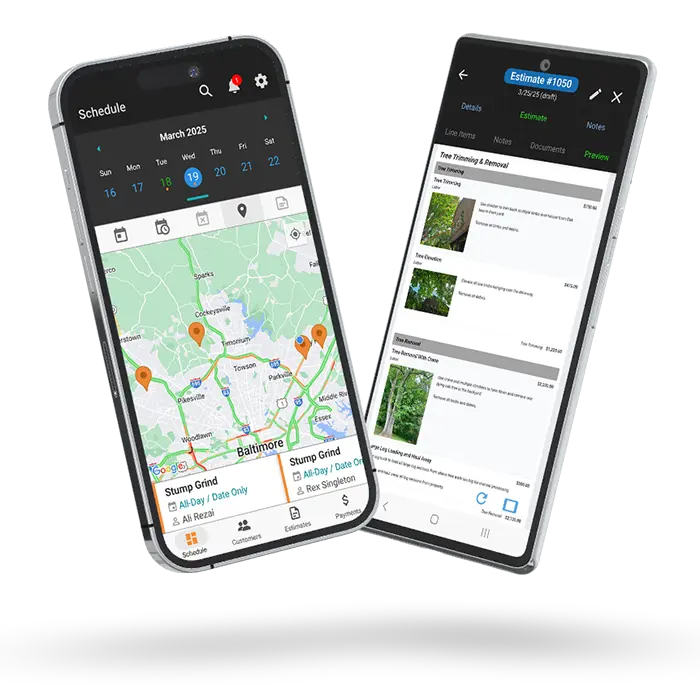
Once you decide to buy equipment, tracking its impact on your bottom line is essential. The WorkQuote app allows you to manage estimates and invoices while keeping a close eye on your customer records and job reports, ensuring your new assets are actually turning a profit on every project.

Beyond choosing whether to buy or rent, the most successful contractors use a central hub to manage their entire operation. WorkQuote helps you handle lead management, scheduling, and professional invoicing from one place, allowing you to spend less time on paperwork and more time growing your fleet. Visit https://workquote.app/ to start streamlining your business today.

Free Contractor Calculators & Business Tools

Streamline your operations and protect your profit margins. Use our free suite of estimating software, ROI calculators, and pricing tools designed specifically for trade contractors.

Estimate & Invoice Generator

Create professional PDF estimates and invoices instantly.

Estimate Manager

Track status, payments, and client history in one place.

Service Price Calculator

Determine profitable pricing based on your overhead costs.

Service Area Map Tool

Visualize your service radius on a map for marketing.

Local Marketing ROI Calculator

Measure the effectiveness of your local ad spend.

Labor Burden Cost Calculator

Calculate true employee costs including taxes and benefits.

Equipment Buy vs. Rent

Compare long-term costs to make smart equipment decisions.

Good-Better-Best Generator

Upsell clients with tiered service package proposals.

Hourly vs. Project Rate

Decide which pricing model maximizes your project profit.

Estimate Follow-Up Generator

Generate persuasive follow-up email templates to close deals.

Download WorkQuote for Advanced Business Tools
Includes a No-Sign-Up Guest Demo Mode.

Disclaimer & Data Policy: This free WorkQuote tool is provided "as is" without warranty of any kind. While we strive to ensure accuracy and reliability, users are responsible for verifying the information and suitability of generated data for their specific needs. WorkQuote disclaims any liability for damages arising from the use of this tool.